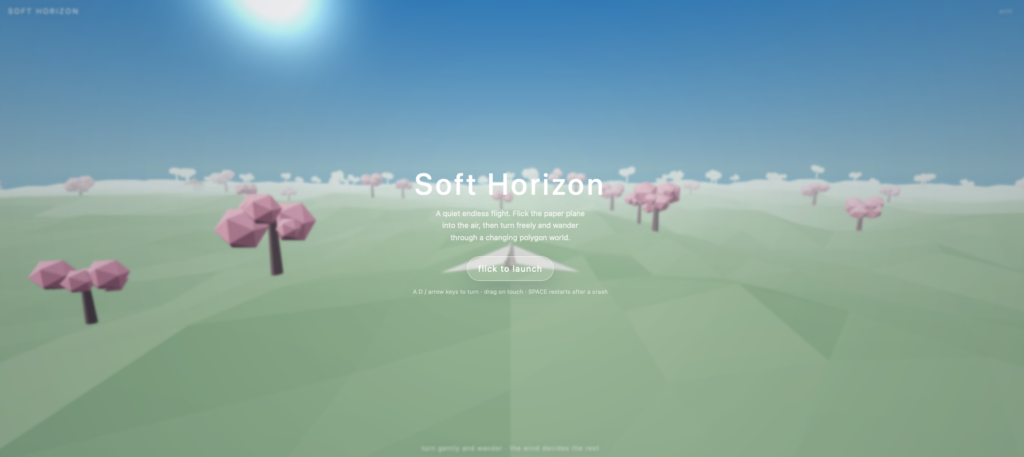
I’ve been experimenting with a small web game recently, although calling it a game is perhaps stretching the definition a little because there isn’t really a conventional objective. There’s no score to chase, no enemies, no coins to collect and no leaderboard waiting at the end. Instead, you flick a paper aeroplane into the air and simply see where it takes you.
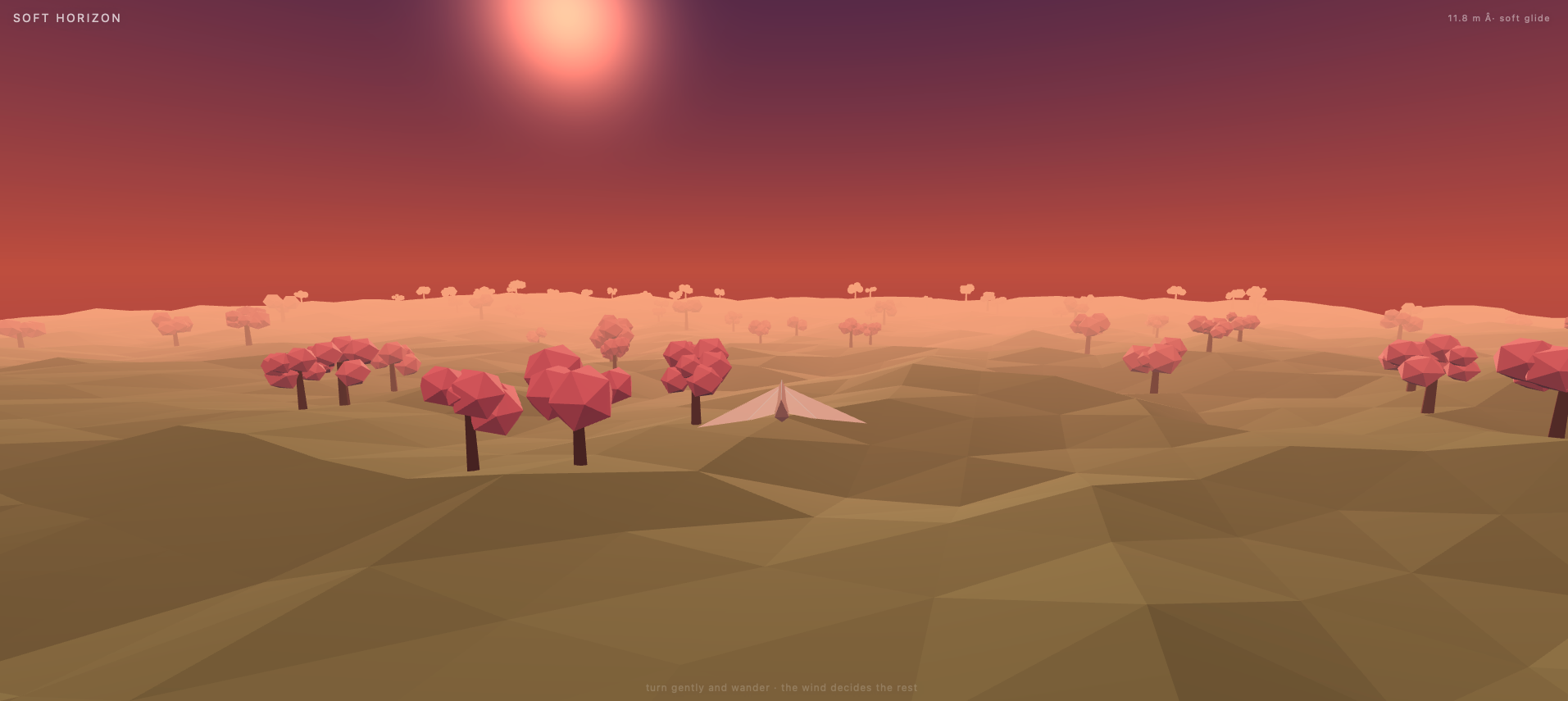
Below the plane is an endless low-poly landscape dotted with large pink blossom trees, with the occasional little house appearing in the distance and, much more rarely, a tiny white rabbit somewhere amongst the scenery. Above it, the sky gradually changes from clear blue daylight through colourful sunsets and into night before eventually coming around to morning again.
There’s wind, an ambient soundtrack and just enough physics to make the aeroplane feel slightly unpredictable without turning the whole thing into a flight simulator. The original idea was really to create something closer to a digital daydream than a traditional game.
Check it out here : https://cw.is/chill
Starting with a very simple idea
The initial concept was remarkably straightforward: what if you could throw a paper aeroplane and then continue flying it?
I wanted the experience to feel peaceful rather than competitive, so the plane gradually loses height as it travels but occasionally encounters currents of air that carry it upwards again. You can steer and decide which direction to explore, although the game never tells you where you should be going or gives you a particular destination to reach.
That lack of purpose is quite deliberate.
A great deal of the software we interact with every day is constantly asking us to do something, whether that means responding to a notification, completing a task, clicking a button or reaching the next milestone. I liked the idea of building something that asks almost nothing of the person using it and is happy to simply exist for a few minutes while they fly around.
Building an endless world in the browser
One of the constraints I set myself fairly early was that the whole thing should remain lightweight. I didn’t want somebody to have to download a large game, nor did I want hundreds of textures, models and audio files sitting on the server. Ideally it needed to be something that could live on an ordinary web server and start running almost immediately in a modern browser.
The 3D side of the project uses Three.js, which provides a much more approachable way of working with WebGL and browser-based 3D graphics.
Rather than creating one enormous landscape in advance, the terrain is generated procedurally around the aeroplane as it travels. The landscape is divided into manageable sections, with new terrain appearing as the aircraft moves into unexplored areas and distant sections being discarded when they’re no longer needed.
This creates the impression of an enormous, potentially endless landscape without requiring the browser to actually hold an infinite world in memory.
It’s a useful trick that appears in various forms throughout game development: you don’t actually have to build infinity, you just need to maintain enough of the world around the player that they never encounter its edges.
Escaping the endless corridor
One of the earlier versions of the game worked much more like a traditional endless runner, with terrain generated ahead of the aeroplane and removed once it disappeared behind the player.
Technically, it worked perfectly well, but something about it never felt right. Even though there weren’t any visible walls, you could sense that you were travelling down a long invisible corridor, and turning the plane felt more like moving from side to side within a track than genuinely choosing where to fly.
The landscape generation was eventually changed into a two-dimensional grid of terrain tiles surrounding the aircraft. As the plane travels, the game works out which areas are needed around its current position and generates the landscape accordingly.
That means you can turn left, keep turning, fly in a completely different direction and the world will continue appearing ahead of you.
It sounds like a relatively small technical change, but it made a surprisingly large difference to the character of the experience. Instead of feeling as though you are travelling through a procedurally generated level, it begins to feel as though you’re exploring a place.
That was much closer to what I originally had in mind.
Making a paper aeroplane actually feel like paper
The aeroplane itself turned out to be one of the more interesting parts of the project to get right.
The first version was extremely geometric. You could immediately recognise it as a paper plane, but in motion it felt more like a rigid triangular spacecraft than something somebody had folded from a sheet of paper.
Real paper aeroplanes aren’t completely rigid objects. Their wings flex slightly, they wobble as the air moves around them and their flight is full of tiny imperfections. The folds also create a very recognisable three-dimensional shape, particularly around the raised centre of the aircraft.
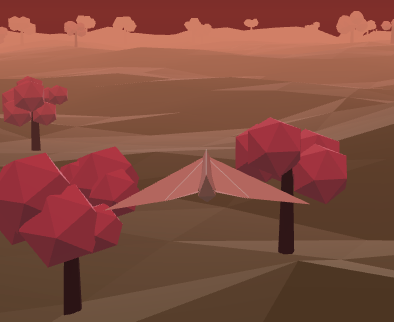
The model gradually became more detailed while still retaining the deliberately simple low-poly aesthetic. It now has separate folded wing surfaces, a raised central spine, visible creases and a thinner profile that makes it feel more like folded paper rather than a solid object.
The movement needed the same treatment.
When the aircraft turns, it now banks naturally into the turn rather than simply rotating around a fixed axis. Its nose rises slightly when it climbs and lowers as it descends, while small amounts of flutter and wing movement suggest the effect of air passing across something extremely lightweight.
The orientation of the model also follows the actual direction in which the plane is travelling, which sounds obvious but makes a considerable visual difference. Earlier experiments could occasionally produce the strange impression that the aeroplane was sliding sideways through the sky.
The challenge has been keeping all of these effects subtle. Too much flutter makes the aircraft look as though it is caught in a storm, whereas too little brings back that feeling of a rigid 3D model simply being translated through space. Somewhere between those extremes it starts to feel convincingly like a little piece of folded paper being carried by the air.
Giving the landscape things to discover
Procedurally generated landscapes have an obvious problem: after a while they can begin to look procedural.
The pink blossom trees were the first attempt to break that repetition. They’re intentionally larger than they would probably be in a realistically proportioned landscape because, as well as being scenery, they act as landmarks that you can spot from a reasonable distance and choose to fly towards.
Small houses were added later and appear much less frequently. The idea is that seeing one in the distance should feel slightly unusual, perhaps enough to make you alter course and investigate it rather than treating it as another piece of scenery passing underneath.
Then there are the rabbits, which are rarer still.
They don’t give you anything, unlock anything or increase a score because there isn’t a score in the first place. They’re simply tiny white rabbits that you might occasionally notice while flying over the landscape.
I’ve always liked details like that in games: small things that exist primarily because somebody might happen to notice them.
When trees stopped being decorative
For a while the blossom trees were purely visual objects, which created the slightly ridiculous situation where you could fly directly through a huge tree and emerge from the other side without anything happening.
Eventually collision detection became unavoidable.
This introduced an interesting technical problem because simply checking whether the aeroplane is currently touching a tree isn’t always reliable. A moving object can travel far enough between two rendered frames that it passes from one side of another object to the other without ever technically being detected inside it.
The collision system therefore considers the path the aeroplane travelled between its previous and current positions. If that path intersects either the trunk or the broader area occupied by the blossom canopy, the game treats it as a collision.
At that point the aeroplane stops behaving like an aircraft.
Forward momentum disappears, gravity takes over and the plane tumbles towards the ground while its geometry deforms slightly to give the impression that the paper has crumpled during the impact. Once it reaches the landscape it stays there, at which point pressing the spacebar starts everything again.
I deliberately avoided adding a large GAME OVER message or dramatic failure screen because it would feel completely at odds with the rest of the experience. You hit a tree, your paper aeroplane falls to the ground, and when you feel like trying again you throw another one.
Using the sky as a clock
There isn’t a traditional progression system, so the changing sky has effectively become the game’s clock.
Over the course of roughly a minute the atmosphere gradually passes through different states, moving from clear blue daylight towards warmer afternoon colours, then through pink and orange sunsets into deeper purples and eventually night. Stars become visible before the cycle gradually brings daylight back again.
Rather than switching abruptly between a collection of sky backgrounds, the colours and lighting are blended over time. This means the environment is almost constantly changing, although usually slowly enough that you don’t consciously notice each transition taking place.
You might simply realise after flying for a while that the horizon has become orange, or that the landscape underneath you is now being viewed beneath a night sky.
Those gradual changes ended up fitting the project much better than conventional levels or stages would have done.
Sound changed the experience more than I expected
Perhaps the biggest improvement to the overall atmosphere came from adding sound.
There is a quiet wind layer associated with the flight itself, alongside an ambient musical soundtrack that can be supplied as a simple MP3 file on the server. Keeping the soundtrack separate means it can easily be replaced without having to rebuild the rest of the game, which is useful for experimenting with different moods.
The audio is intentionally understated because it isn’t supposed to behave like traditional game music. There are no dramatic cues announcing events or musical rewards when you discover something; the soundtrack is really there to fill the space around the aeroplane and reinforce the slightly meditative quality of flying.
Modern browsers generally prevent websites from playing audio automatically until the visitor has interacted with the page, which could have been an awkward technical restriction. In this case it actually fitted the design rather nicely because the initial gesture used to launch the aeroplane can also be the moment that the soundscape begins.
Sometimes a browser restriction happens to be exactly what the design needed anyway.
Resisting the temptation to turn it into a bigger game
One of the things I’ve enjoyed most about the project is deliberately resisting the temptation to keep adding conventional game mechanics.
It would be very easy to introduce collectables, distances, achievements, different aircraft, fuel, challenges, unlockable areas or a high-score table. None of those things would necessarily be difficult to add, but every one of them would subtly change the reason for being there.
As soon as you put ten objects in the sky and tell somebody to collect them, flying is no longer the activity. Collecting the objects becomes the activity, and the aeroplane is simply the mechanism used to accomplish it.
At the moment, if you see a blossom tree on the horizon you can fly towards it simply because you like the look of it. You can investigate a house because you’re curious, attempt to spot one of the rabbits, watch the sunset change around you or ignore everything and keep heading in the same direction.
There doesn’t necessarily need to be a reward waiting at the end of every interaction.
Small web experiments are still worth making
Modern web development quite understandably revolves around serious things much of the time: applications, platforms, dashboards, ecommerce, content systems and increasingly complicated frameworks. It can be easy to forget that the browser is also an extraordinarily capable creative environment.
Without installing anything, a browser can render a three-dimensional landscape, simulate movement and simple physics, generate an environment procedurally, play a layered soundscape and respond instantly to keyboard, mouse and touch input. Somebody can then experience the result simply by opening a link.
There’s no installer, no app store and no account to create before you can start.
This little paper aeroplane project isn’t intended to become a huge game, and that’s increasingly something I like about it. It’s really an experiment in atmosphere, procedural environments, simple physics and how little interaction is actually required to make a digital space enjoyable to spend some time in.
Sometimes it’s enough to throw a paper aeroplane into the air, choose a direction and see where it takes you.